Flight Cancellation Notification
Project overview
This project is based off of a UX Writing challenge prompt from dailyuxwriting.com.
My role
UX Writer
Goal
A traveler is in an airport waiting for the last leg of a flight home when their flight gets abruptly canceled due to bad weather.
Challenge
Write a message from the airline app notifying them of the cancellation and what they need to do next.
Headline: 45 characters
Body: 175 characters max
Button(s): 25 characters max
Process
Performed competitor research (Delta, United Airlines, American Airlines, Southwest, JetBlue)
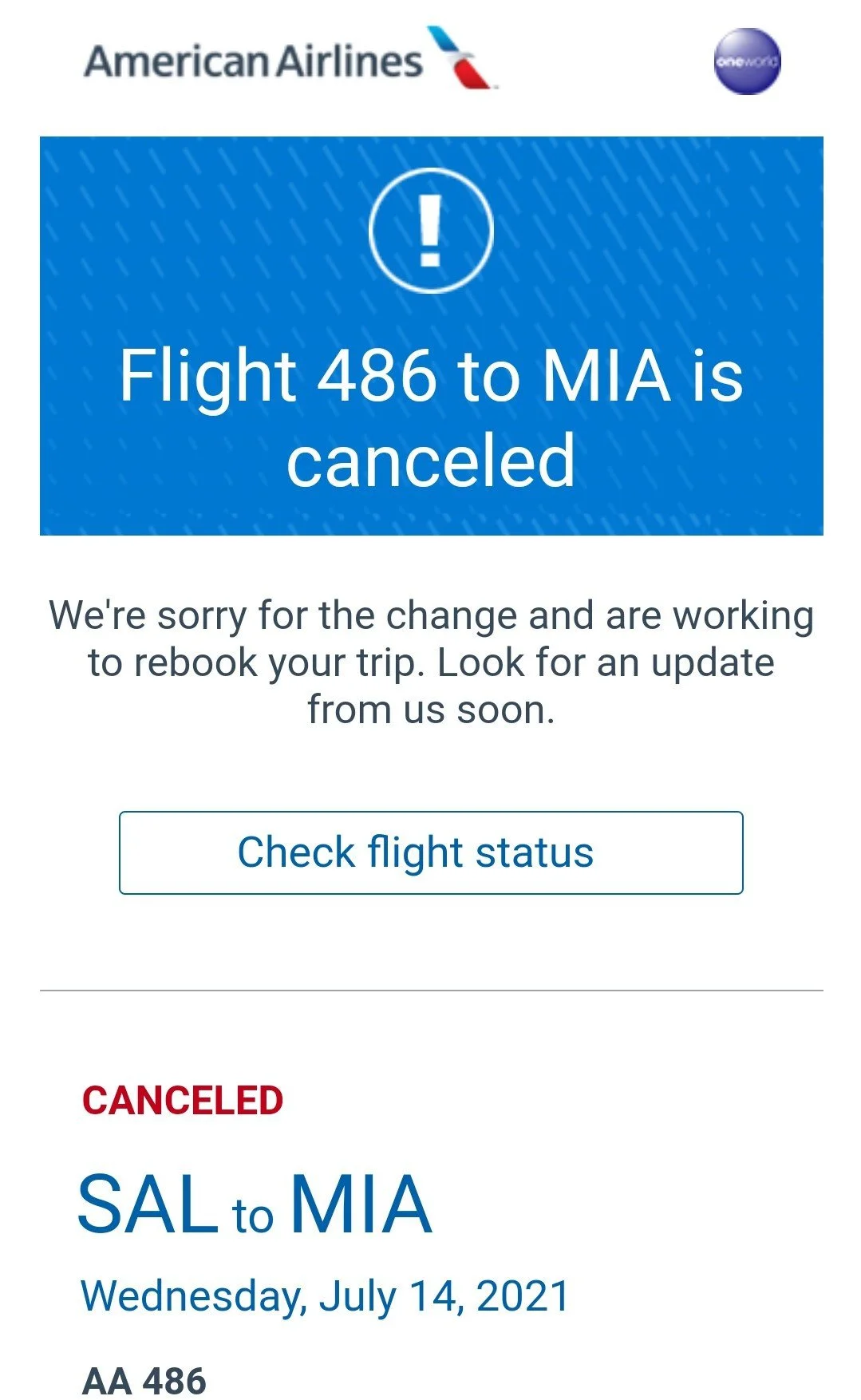
Source: American Airlines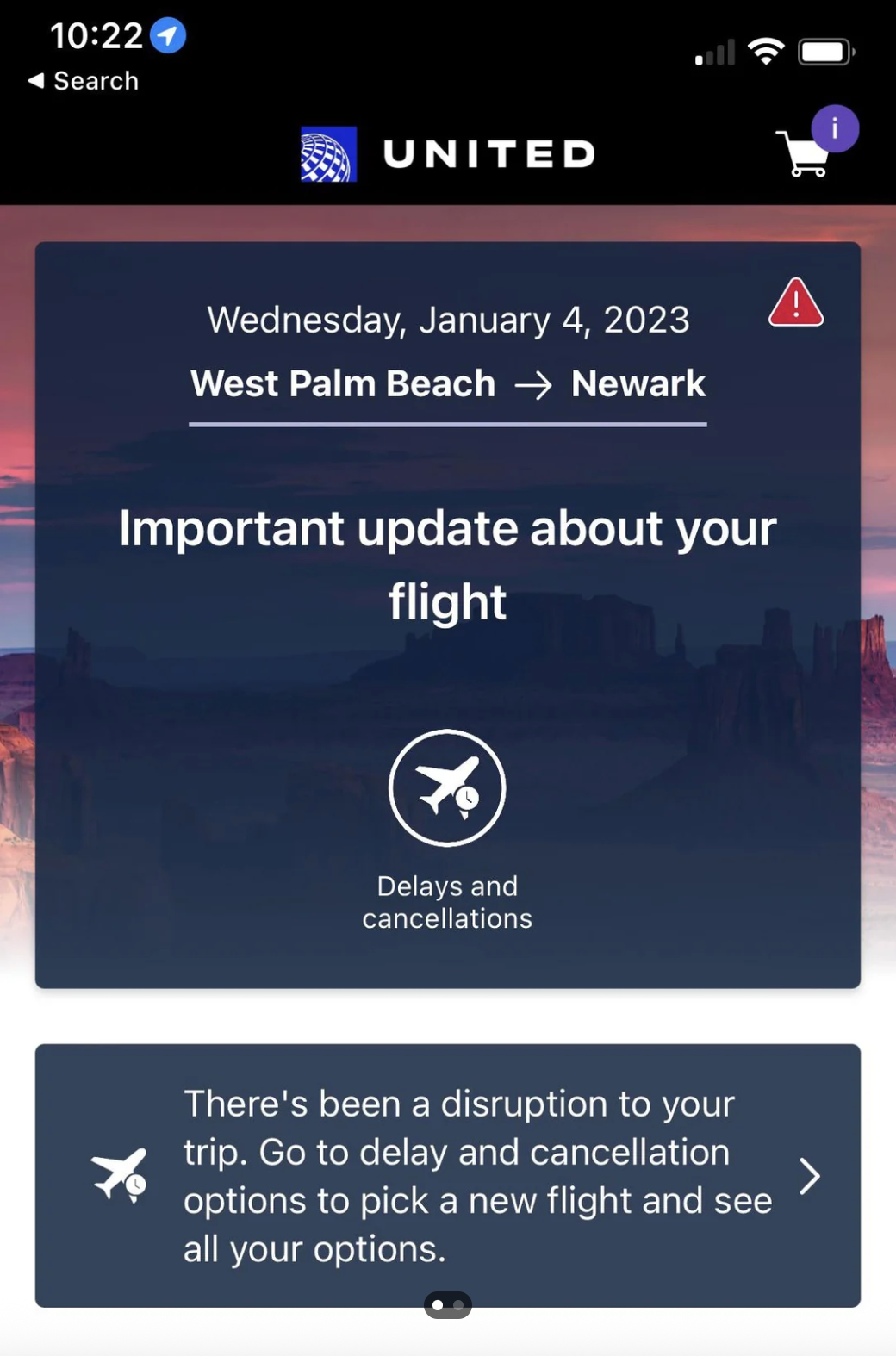
Source: United AirlinesIterated different options with varying tone of voice, length, and options for the user:
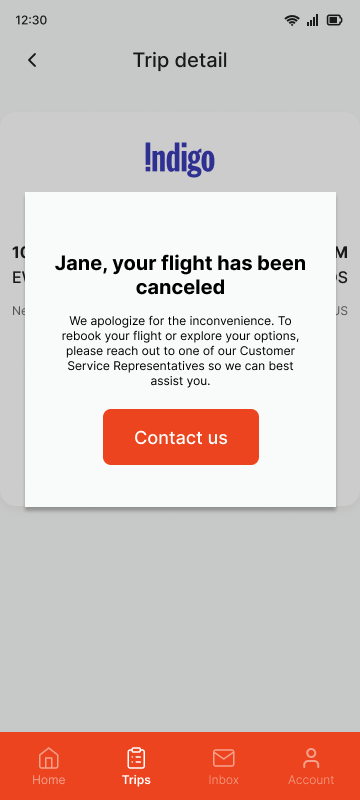
Option 1
Pros
Personalization in the notification headline keeps the interaction human in the delivery of unexpected news
Gives the user a clear next step on how to rebook their flight to get to their final destination
Offers direct contact with someone who can help
Cons
Without an explanation or reasoning, the apology could come off as disingenuous
Only offering a contact us option would not only lead to overwhelm to the Customer Support Team, but isn’t realistic or efficient in getting the user onto a new flight
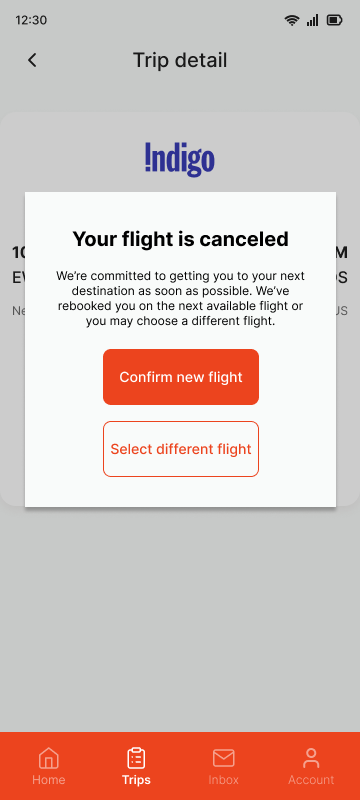
Option 2
Pros
Simplified headline in the active voice
Added ownership in a respectful tone to show the user that the airline wants to help resolve this issue and proactively booked them on a new flight
Added a second button to give the user the option to confirm the rebooking or select a flight that better matches their needs
Cons
Not enough clarity on which flight is impacted, especially important for frequent travelers
Still no explanation or reasoning for cancelation, could lead to user feeling suspicious or in the dark about what’s happening
No option to connect with a human in Customer Support who can answer further questions
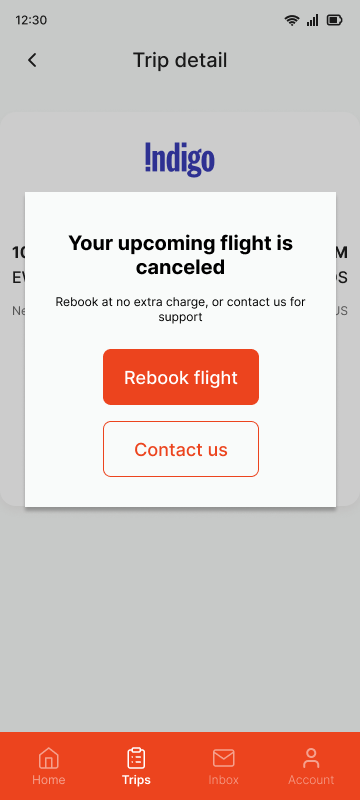
Option 3
Pros
Very clear, direct language with short, scannable text
Assures the user that they will not incur any additional costs for the change in itinerary, affirms that the company’s goal is to still get them to their next destination
Provides two distinct options on how to proceed – a self-service way to rebook their flight, or to connect with Customer Support for further help
Cons
Overly simple, lacks empathy in how the info and next steps are presented
Still no clarity on which flight is impacted or explanation or reasoning for cancelation
Solution
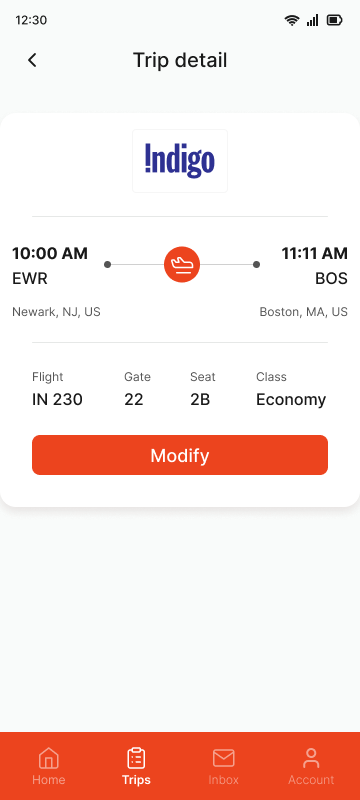
Trip detailFlight cancellation notificationNotification is now more specific, but still clear, concise, and informative. Prioritized keeping the user informed enough about the situation to have awareness, while also offering clear, actionable next steps so they can resolve the issue. Also prioritized empathy for the user in this scenario of wanting to get to their next destination as quickly and seamlessly as possible.
Provided a brief reasoning for the unexpected change in itinerary so the user knows why this is happening and isn't left confused or wondering. An apology reiterating the business’ interest in prioritizing the customer’s safety serves as a reminder for the user that this outcome is also in their best interest, and helps soften the disappointment from bad news. Lastly, the user has options to rebook their flight in a self-service manner or connect with Customer Support for more hands-on guidance.
Extra credit
Built out additional frames to show steps for rebooking a new flight or contacting Customer Support
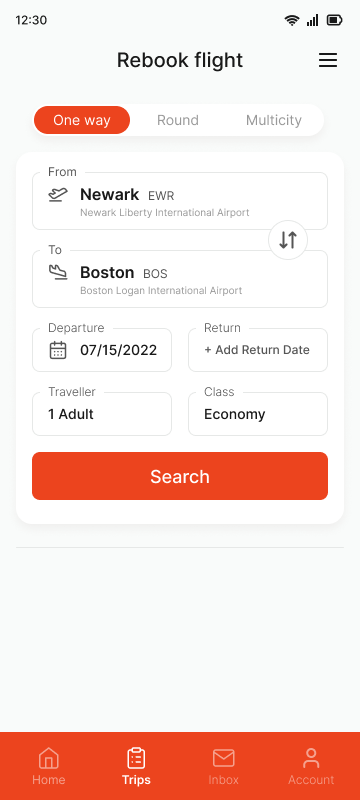
If user selects ‘Rebook flight’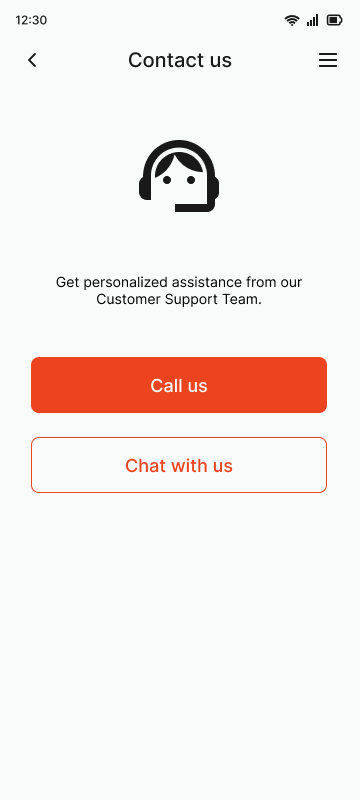
If user selects ‘Contact us’Takeaways
When a user experiences something unexpected OR is a company’s suddenly unable to meet a user’s expectations, such as a change in flight itinerary, it can lead to anxiety, panic, frustration, fear, or stress
Providing a brief explanation of the cause of the flight cancellation may soften some of the user’s frustrations
For this scenario, this puts the reasoning out of the control of the airline, and on external/environmental factors
Knowing the cause gives the user a better understanding of why the flight may have been canceled last minute
Including empathy (“Your safety is our priority and we apologize for the inconvenience”) shows humanness and builds trust with the user
Offering two options (self-service with “Rebook Flight” vs getting support with “Contact Us”) so that the user can figure out their next step as quickly as changes in travel itinerary can be disruptive
In this case, the user has been on at least one other flight and is trying to get home, and is likely tired and annoyed from the cancellation
Potential next steps
Work with a UX Designer to map out user journeys for error use cases and edge cases
Option 1 (If user decides to rebook their flight): Rebook Flight > Select Flight > Confirm New Booking
Option 2 (If user is unable to find a flight that meets their needs): Rebook Flight > Request a Refund > Refund Confirmation and Timeline
Option 3 (If user wants more hands-on support with their issue): Contact Us > Call OR Chat
Adapt copy based on cancellation cause (issue with aircraft, incoming flight is delayed, ATC issue, etc)
Create proactive app notifications that make the user aware of potential issues in upcoming weather forecast
24-48 hour updates if weather could potentially impact flight schedule
Deep link to official weather reports so users can learn more about incoming inclement weather